

briefin turns chaotic requests into structured, actionable briefs. Built for creative teams juggling deadlines, approvals, and last-minute changes.


.svg)

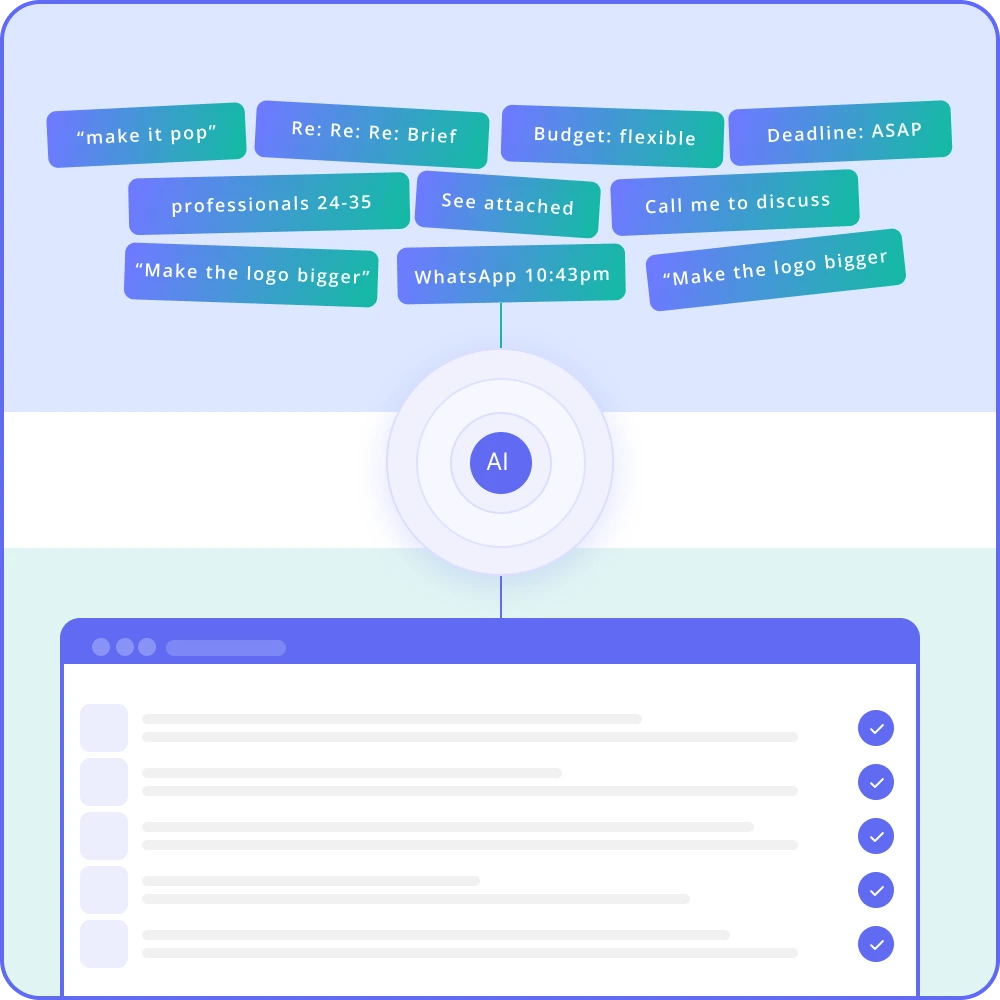
Every few months, a new AI model comes out, promising to be faster and smarter than the last. Agencies hope this will finally solve their messy briefing process.
It won’t.
The AI itself works well. The real issue is the information you give it.
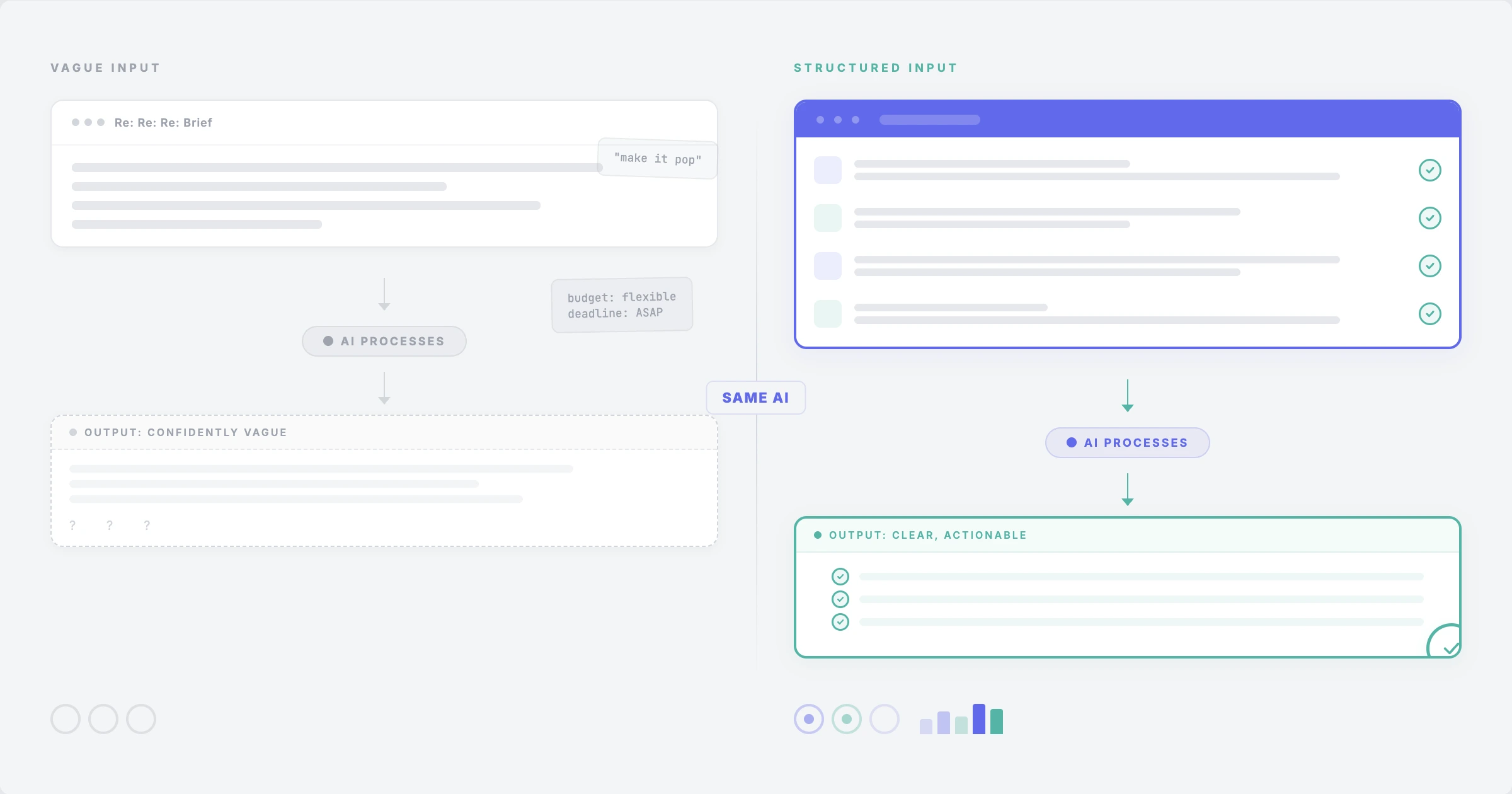
A vague brief doesn’t get clearer just because a smarter model handles it. It becomes a vague brief that sounds more confident. The gaps and missing context remain, only worded more smoothly.
Most AI conversations skip this part. Teams focus on which tool to use when they should ask: what are we actually putting into it?
Agencies tend to follow a pattern when adopting AI. Someone signs up for a tool and pastes a client email into it. The output sounds okay but isn’t quite right. They adjust the prompt and try again. The next result sounds better, but still isn’t right.
Eventually, the team stops using the tool. The input was never good enough for it to work well.
This happens more often than people admit. A 2024 BCG study found that when consultants used AI for unclear, unstructured tasks, their work quality dropped by 23% compared to doing it without AI. The tool made the confusion worse instead of solving it.
The bottleneck in most agency workflows isn’t as much the absence of AI as it is the absence of structured information. Briefs arrive as email threads, WhatsApp messages, half-finished Google Docs, or ten-minute phone calls that nobody properly documents.
No model, however advanced, can extract clarity from information that doesn’t exist.
AI models are good at working with structured information. They’re worse at dealing with ambiguity.
When the brief is vague, the AI has to guess what the user meant. It doesn’t ask follow-up questions the way a strategist or account manager would. Instead, it fills the gaps with probabilities.
This means the output can sound polished and confident while still being wrong.
AI didn’t misunderstand the task. It simply did the best possible job with incomplete information.
This is why teams sometimes feel impressed by AI in a demo but disappointed when using it in real projects. The demo used clear, structured inputs. The real project did not.
The phrase is older than the Internet. But in agency work, it plays out in specific ways.
A client sends a long, confusing email with mixed priorities. Someone pastes it into an AI tool and asks for a summary.
The AI creates a neat, structured summary, but it has to guess what the client really meant. It chooses the most likely meaning.
The team moves ahead based on the AI’s guess.
Three weeks later, the client says, “That’s not what I asked for.”
The AI didn’t fail. It did exactly what it was told: try to make sense of unclear information. But making sense of confusion isn’t the same as finding the right answer.
An agency creates a form and sends it through an AI tool for improvement. The form asks broad questions like:
These questions are so general that the answers are useless, no matter what the AI does.
Better inputs begin with better questions.
For example, ask:
“What is the single main objective, and if you had to pick between reach and conversion, which one is more important?”
This level of detail comes from structure, not from algorithms.
Some teams try to fix poor AI results by writing better prompts.
They might spend 45 minutes creating a detailed prompt with examples, tone guidelines, and formatting rules. The output improves, but only because the prompt became the structured input that was missing from the start.
The person writing the prompt did the thinking that should have happened when creating the brief.
They just did it at the wrong stage.
Two things are happening at once in the agency world.
AI marketing does a great job of making tools sound like solutions. Every product page promises to “transform your workflow” or “eliminate inefficiency.” These are just claims about what the tool can do. Whether it actually helps depends completely on the context you give it.
It’s like buying a great camera and expecting it to take perfect photos on its own.
It won’t.
You still need to know what you’re photographing and why.
Structure can feel like extra work. No one gets excited about filling out forms, defining scope, or writing clear criteria. It seems bureaucratic and slow. Most teams would rather start creating.
But structure is making decisions ahead of time.
Every field in a structured brief is a decision that would otherwise happen during production, often costing more time and causing more problems.
Research on project failure consistently supports this. The Standish Group’s CHAOS reports have found for decades that poorly defined requirements are among the top reasons projects fail.
The tools have improved dramatically. The data hasn’t changed.
65% of scope issues trace back to kick-off - to what was, or wasn’t, defined before work started.
Better inputs don’t mean longer briefs. They mean structured briefs, where information is organized so confusion becomes visible and can be fixed before work starts.
Here’s the difference.
“We need a campaign for our new product launch. The target audience is professionals aged 25-45. We want it to feel premium but approachable. Budget is flexible. Deadline is ASAP.”
Every sentence in that example has ambiguity that will cause problems.
What kind of campaign?Which professionals?What does premium mean?Approachable to whom?What exactly is a “flexible” budget?“ASAP” isn’t a real deadline.
Campaign typeDigital-first brand awareness campaign (social + paid media)Primary objectiveDrive 5,000 qualified leads to product landing page within 8 weeksIf we have to chooseOptimise for lead quality over volumeTarget audienceMarketing managers at B2B SaaS companies (50-200 employees)Key insightThey know their process is broken but think fixing it requires too much changeChannelsLinkedIn (primary), Google Ads (secondary), email nurtureBudget$15,000 media spend; $8,000 creative productionHard deadlineCreative approved by April 1st. Campaign live April 15thMandatoriesProduct demo CTA, brand guidelines v3.2, legal sign-offOut of scopeOrganic social strategy, website redesignSuccess measuresCPL under $25, conversion rate above 3%, 500 demo requests
Same project. Completely different starting point.
An AI tool, given the first input, will produce generic suggestions.
Given the second, it can identify gaps, flag inconsistencies, and suggest messaging improvements based on the stated audience and insight.
The structure does the hard work. AI just builds on top of it.
AI can be helpful in agency workflows, but its value depends on when and how you use it.
AI can rewrite briefs for clarity. Once the content is structured, it can make language clearer and remove jargon. Since most clients aren’t professional writers, this saves back-and-forth.
AI can also spot gaps. It’s surprisingly good at reviewing structured briefs and pointing out missing information, like:
It catches things people miss when they’re too close to the work.
AI can also generate summaries for different audiences. A full brief might need a one-pager for leadership, a detailed version for creative teams, and a summary for finance.
AI can generate these from the same structured source.
AI generates direction from ambiguity.
When AI takes a vague input and produces a confident output, teams treat that confidence as correctness. They should not.
The AI doesn’t know what the client meant. It’s interpolating.
That interpolation might be wrong, and now the team is executing against an AI hallucination dressed up as a client requirement.
AI can also replace the briefing conversation.
Some teams use AI to skip the part where they sit with a client and ask hard questions.
“Just send us what you’ve got and we’ll AI it into a brief.”
This kills the process where alignment actually happens.
Finally, AI can make a brief look finished when it is not.
Nice headings and polished language can hide vague inputs underneath.
A brief that sounds complete but is built on unclear information will still fail.
Agencies that see real productivity gains from AI all do one thing first:
They fix their inputs.
They start by asking harder questions:
Then they build processes that enforce those answers.
Templates with specific fields.Required sections that can’t be skipped.Approval workflows with clear accountability.
Once those processes are in place, AI becomes much more useful.
It reviews structured information instead of guessing at scattered notes.
It improves clarity on content that is mostly complete instead of trying to interpret a Slack message pasted into a prompt.
The order matters.
Structure first.AI second.
When briefs are structured, AI stops guessing.
Instead of interpreting fragments from emails or meeting notes, the model works with clearly defined fields, objectives, and constraints.
This allows AI to:
In other words, AI becomes a review layer rather than a replacement for the briefing process.
That’s when the technology actually delivers productivity gains.
This is the idea behind how we built briefin.
Most briefing tools either ask you to paste unstructured text into a box and hope AI can fix it, or they give you a rigid form that clients don’t want to fill out.
Neither approach works.
briefin sits between the two.
It allows agencies to create custom briefing templates with the exact fields, sections, and instructions each project type requires.
Clients complete a clean, branded form that asks specific questions - not “describe your project,” but the actual information the team needs to start work.
Those structured inputs then move through approval workflows, so nothing progresses until the right people sign off.
Version control tracks every change after submission, so the scope stays defined and accountable.
AI comes after structure.
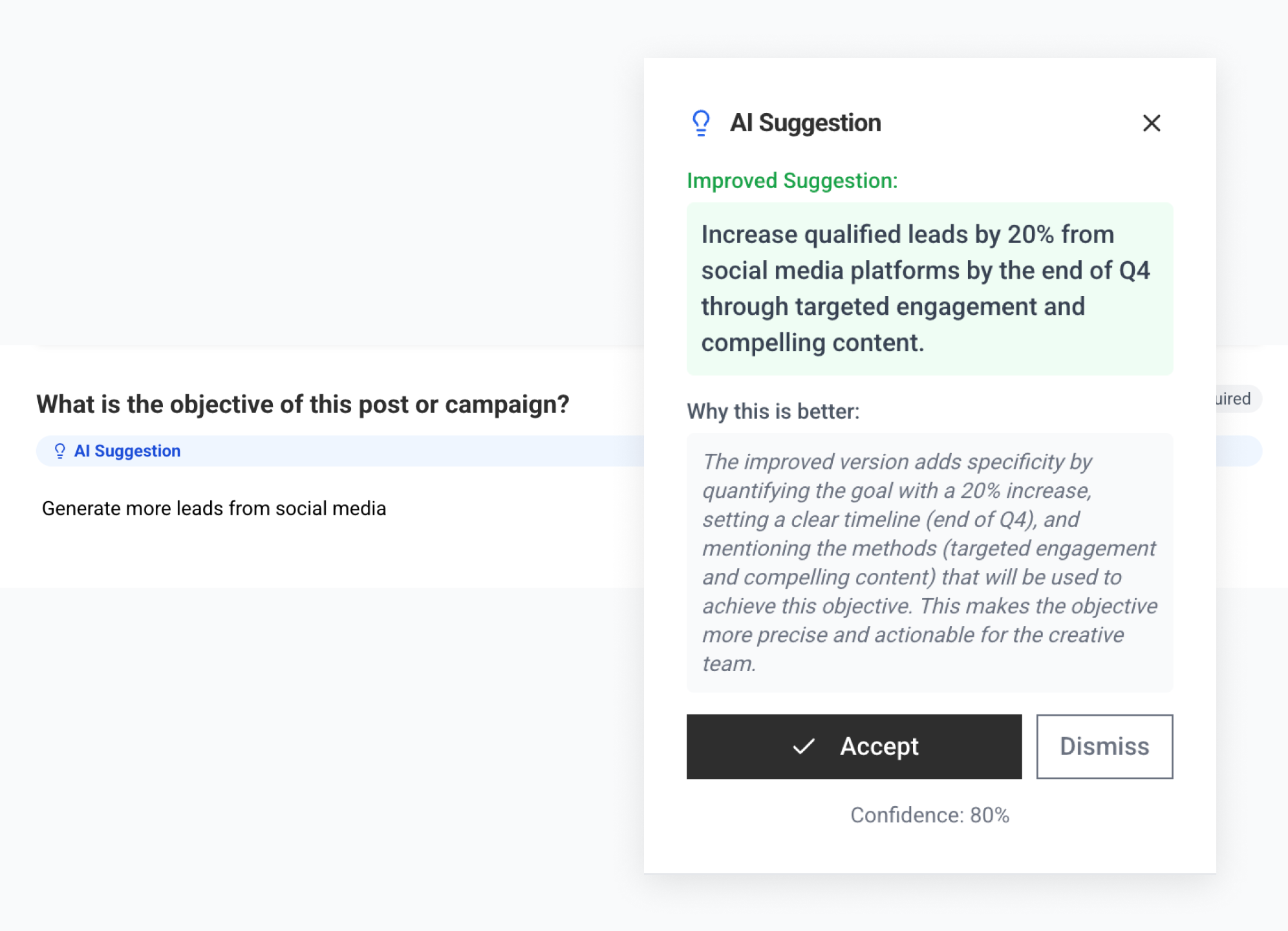
It reviews briefs for clarity and completeness, rewrites confusing language, summarises structured inputs, and flags gaps.
But it always works on material that has already been structured and submitted, not raw client emails pasted into a tool
AI is building on solid ground, not trying to construct a foundation from scattered fragments.
The conversation around AI often focuses on the wrong question. Teams spend time comparing models, debating prompt techniques, or searching for the tool that will finally fix inefficiencies in their workflow. But in most agencies, the real constraint is the quality of the information feeding into the technology. AI doesn’t magically create clarity; it simply amplifies whatever clarity already exists. If the brief is vague, the output will still be vague, just written more confidently. If the requirements are incomplete, the model will fill the gaps with probabilities rather than a real understanding.
The agencies seeing meaningful productivity gains from AI understand this difference. Instead of expecting the tool to solve messy processes, they start by improving the briefing stage: defining objectives clearly, structuring the information they collect from clients, and ensuring everyone agrees on the scope before work begins. Once that foundation exists, AI becomes genuinely useful because it can refine, review, and improve work that already has a clear direction. The biggest gains from AI rarely come from adopting a slightly better model. They come from improving the inputs that shape everything the model produces.
That’s exactly the problem briefin was built to solve. By helping agencies collect structured information from clients, enforce clear briefing templates, and manage approvals before work starts, briefin ensures that every project begins with the clarity AI actually needs to be useful. Instead of pasting messy emails into an AI tool and hoping it figures things out, teams start with a structured brief that defines the objective, audience, scope, and constraints from the beginning.
If you want to see how structured briefing can make both your team and your AI tools more effective, you can explore how briefin works or book a short demo to see it in action.
.svg)
No. AI amplifies what you give it. Structured input gets improved. Vague input gets confidently reworded vagueness. Structure makes AI useful, not the other way around.
A prompt is a one-time instruction to an AI tool. A structured brief is a documented, approved, versioned agreement between a client and a team. Prompts are disposable. Briefs are reference points that prevent scope creep and create accountability. They serve completely different functions.
Parts of one, sure. It can suggest language and fill in boilerplate. But a brief requires decisions: what’s in scope, what’s out, who approves, and what success looks like. Those come from people. Using AI to skip decision-making is how projects end up misaligned.
It moves the work. Instead of spending 3-7 hours per project gathering missing information, you capture it once at the start. Agencies waste more time on rework from bad briefs than they’d spend filling in structured fields. Less work total. Just earlier.
Clients resist anything that feels like a form. If the tool looks like a generic survey, they won’t use it. It needs to be branded, clean, and purposeful. On the agency side, teams default to familiar habits like email, docs, or WhatsApp unless the new way is obviously easier. Both problems are solvable, but you need to solve them at the same time.
briefin applies AI alongside structure, not instead of it. Templates capture the right information. Approval workflows get the right people to sign off. Then AI make susggestions to the structured brief for clarity, completeness, and language. It always works on content already structured by humans, not on raw client input.
briefin turns chaotic requests into structured, actionable briefs. Built for creative teams juggling deadlines, approvals, and last-minute changes.